
After the design of a printed circuit board (PCB) completing, it needs to be sent to a PCB manufacturer to be fabricated. Manufacturers often require an industry standard file format that includes the Gerber file and Drill file to be used in their fabrication process.
The Drill file is generated by designers through the process of designing the printed circuit board with the Allegro, PADS, Protel 2.0 or Eagle software. How to export Drill file from software? We take the Eagle as an example.
1.First of all, open the PCB file(.brd) in the eagle software. 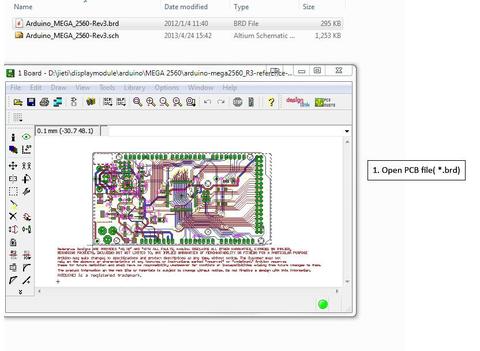
2.Click the button  to open CAM Processor window.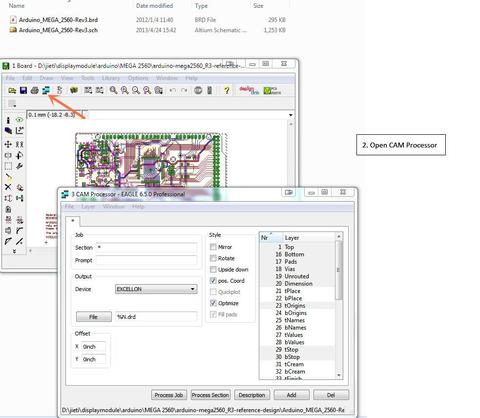
3. Click File→Open→Job.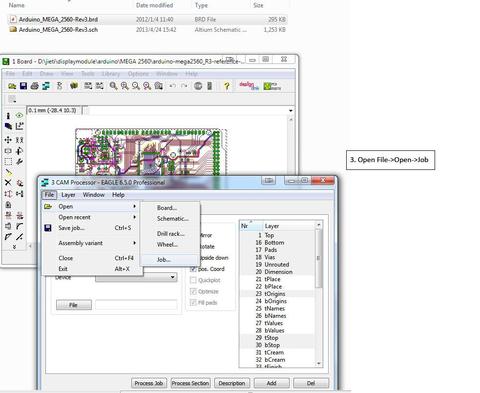
4. Select the file ‘excellon.cam’, and double click to open.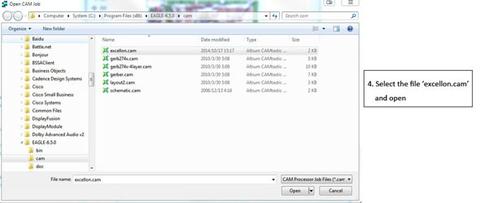
5. Click ‘Process Job’, and then it will output the drill files.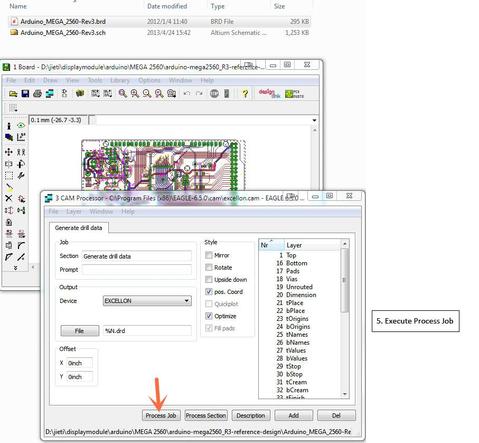
6.The drill file will be output in the same directory. 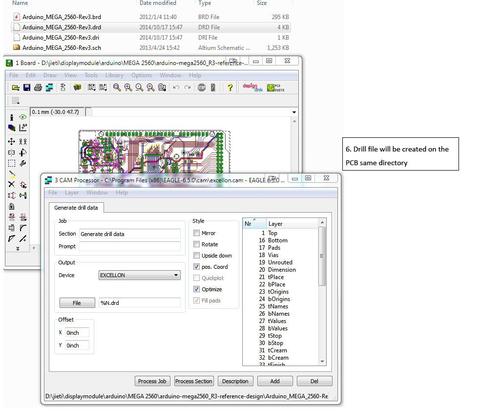
7. Check ‘*.drd’ and ‘*.dri’ files before being packaged to the factory.
NexPCB Blog

DDR5 16Gb Breaks USD 60 and Metals Extend Their Decline: Hormuz Turns to a Military-Escalation / Reserve-Release Hedge While MLCC Repricing Enters Execution Verification
Procurement Management Dept · Supply-Chain Market Intelligence · External Edition W42 DDR5 16Gb Breaks USD 60 ...
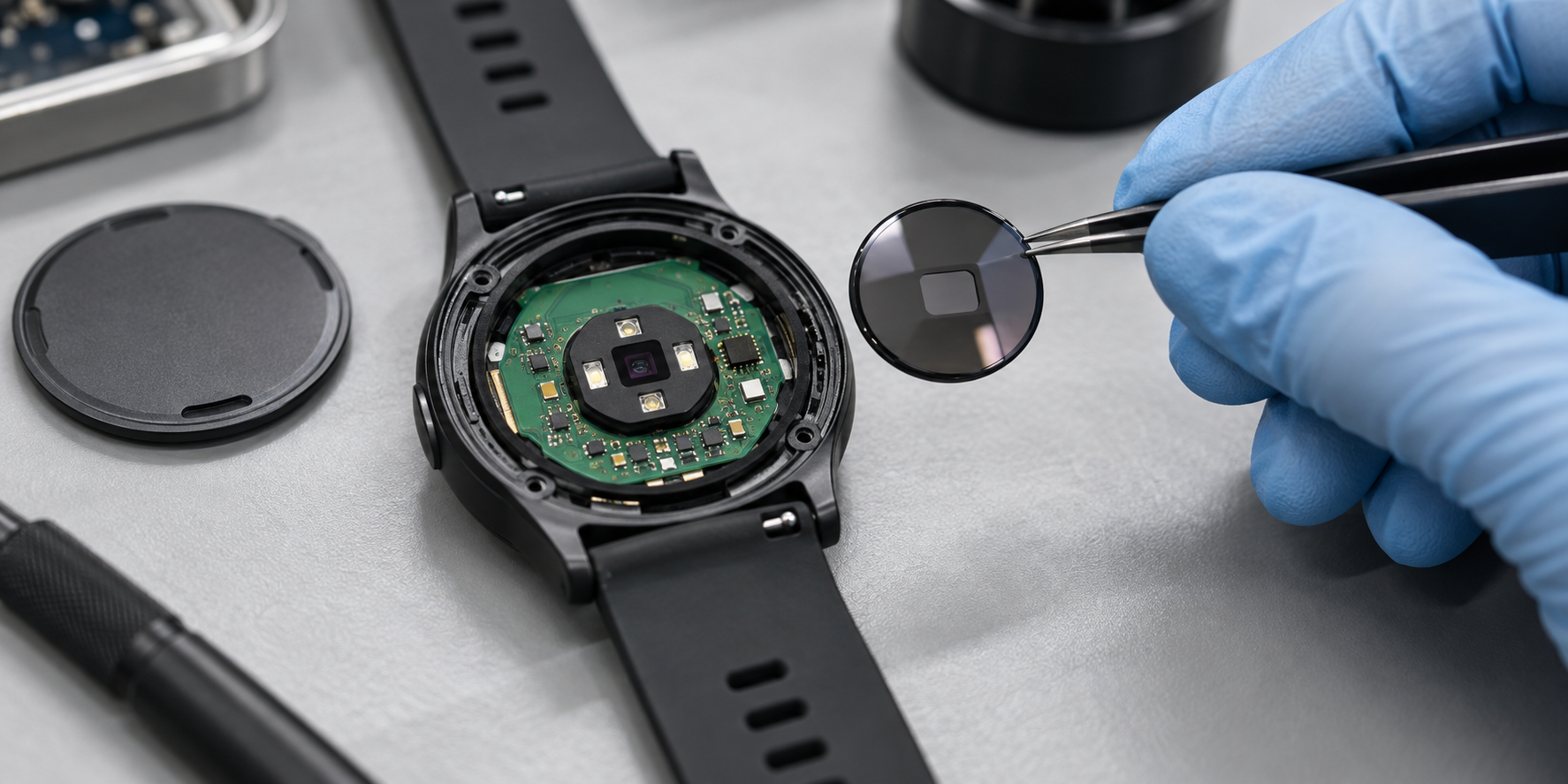
Wearable Optical Sensor Signal Loss: What Changed in Production?
During an early production build, several wearable units powered on, connected, and passed basic functional ch...
Memory Rally Stalls and Metals Sell Off Post-Holiday: Hormuz Talks Open a Window While MLCC Lead Times Worsen Again
Procurement Management Dept · Supply-Chain Market Intelligence · External Edition W41 Memory Rally Stalls and ...
.png)